


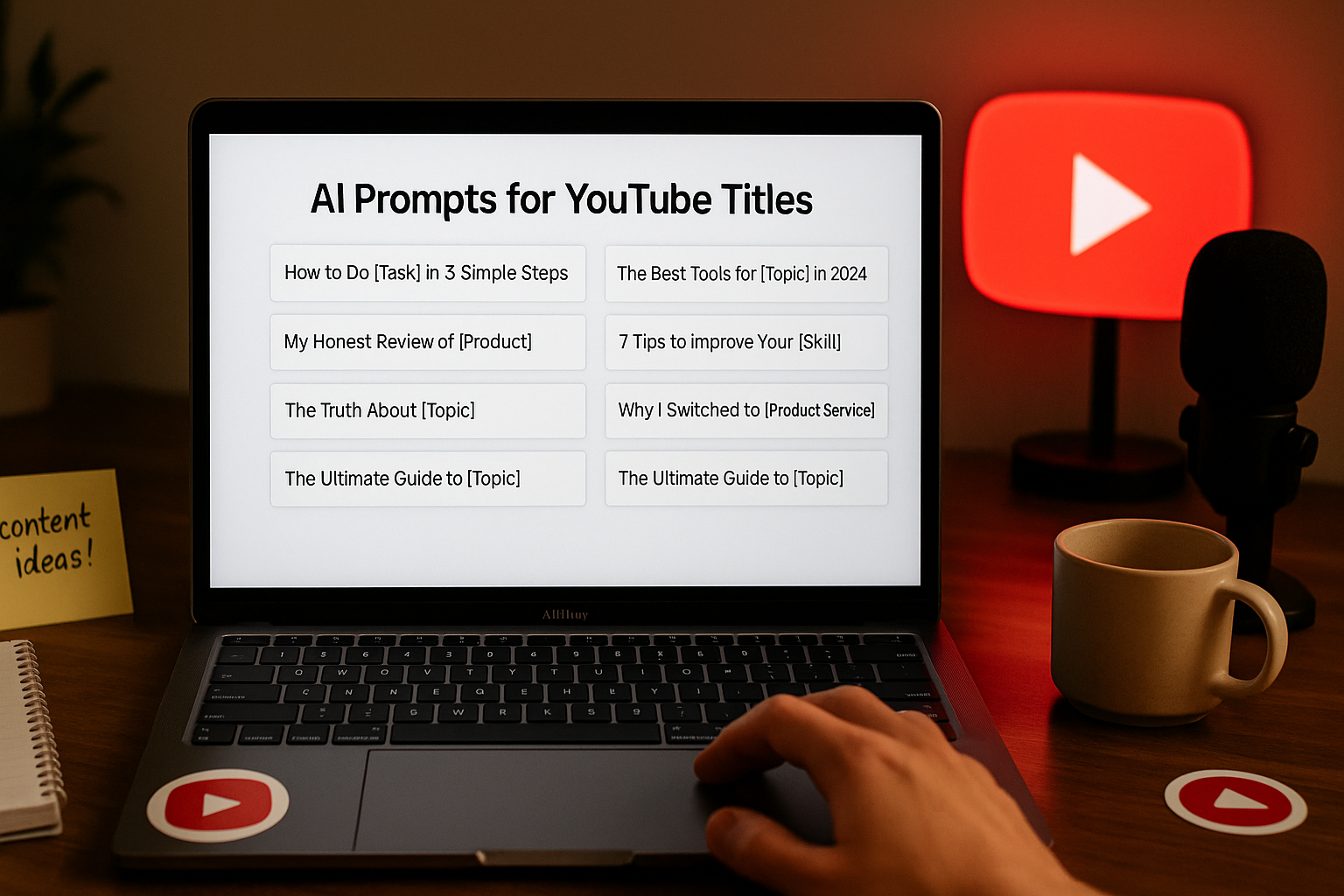
Looking for better video ideas? These “AI Prompts for YouTube Titles” will help you craft engaging, clickable titles that truly connect.
AI Prompts for YouTube Titles
Creating the perfect YouTube title can feel like solving a puzzle. You want it to be catchy, accurate, and optimized — but not clickbait. I’ve been there too, staring at the title box, rewriting the same phrase over and over. That’s where well-crafted AI prompts come in. They simplify the process and give your creativity a helpful nudge in the right direction.
AI prompts for YouTube titles are specific instructions you give to an AI tool so it can generate title ideas that suit your content, tone, and goals. When written well, these prompts don’t just save time — they give you ideas you might not think of on your own. Whether you’re a seasoned creator or just starting your channel, having reliable AI prompts for YouTube titles can make your video planning process smoother, faster, and more effective.
Let’s be honest: title matters. It’s the first thing viewers notice, and sometimes the only thing they see before deciding whether or not to click. An unclear or dull title could make even your best video go unseen. With the right prompts, you can create titles that reflect your message and speak directly to your audience.
Here’s why this matters so much:
- 🧲 Increased Click-Through Rates
Well-structured titles attract more attention and get more clicks. - 🧠 Frees Up Creative Energy
You spend less time overthinking and more time producing content. - 📈 Improves SEO Performance
AI-generated titles often include keywords that help videos get discovered. - 🎯 Keeps Messaging Consistent
You can match titles to your channel’s tone and audience expectation. - 🕒 Saves Valuable Time
Instead of brainstorming endlessly, you get instant suggestions you can refine.
If you’ve ever felt stuck naming your next upload, don’t worry — you’re not alone. In the next sections, I’ll walk you through real examples and actionable tips I personally rely on.
✨ Before diving into AI Prompts for YouTube Titles, if you’re not yet familiar with how prompts work, we recommend checking out our [AI Prompt Guide for Beginners] first.
📚 Table of Contents
• 💡 Advantages
• 🧭 Wondering How to Begin?
• ✍️ Effective Prompt Techniques
• ✨ My Go-To Prompt Picks
• ⚠️ Common Pitfalls and How to Avoid Them
• 💬 User Experiences
• ❓ FAQ – AI Prompts for YouTube Titles
💡 Advantages
I’ve used AI prompts for a while now in my video projects, and the difference they make is incredible. Here’s a simple breakdown of what I’ve noticed and appreciated the most.
| 🌟 Advantage | 🧭 How to |
|---|---|
| ✨ Title Variety | You get multiple styles to choose from — catchy, serious, funny, or informative. |
| 🧠 Audience Focus | Prompts help the AI understand who you’re trying to reach. |
| ⏱️ Time Efficiency | Saves hours of brainstorming and editing title drafts. |
| 🧭 SEO-Driven | Many prompt-based titles automatically include high-performing keywords. |
| 📣 Clarity in Messaging | Your title says exactly what the video delivers. |
| 🎯 Customization Options | You can guide the AI to use specific tones, formats, or topics. |
| 🔍 Discovery Boost | Optimized titles improve your visibility in search results. |
When you start using AI prompts with clear intent, you’ll notice how much easier the creative process becomes.
🧭 Wondering How to Begin?
When I first explored AI tools, I wasn’t sure how to even ask for what I needed. The trick is in the clarity of your prompt. Let’s go step-by-step together.
1. 📝 Define Your Video’s Purpose
Start by getting crystal clear about your video’s message. Is it educational, entertaining, motivational, or something else entirely? When you define the purpose, your title will better reflect your core message.
2. 🎯 Know Your Target Viewer
Think of one person who would really benefit from your video. This helps you craft prompts that focus the AI on producing relatable, useful titles.
3. 🔍 Identify Core Keywords
What words would people type to find your video? Phrases like “how to,” “tips for,” or even emotional terms like “best” or “worst” can lead the AI in a smarter direction.
4. 🛠️ Choose a Tone
Decide whether your video feels more serious, fun, dramatic, or informative. Your AI prompts should include tone direction to make the titles fit your channel style.
5. 🧾 Include Format Hints
If it’s a list, tutorial, storytime, or challenge video, say so in the prompt. Format plays a big role in how titles are written.
6. ✍️ Write Your First Prompt
Keep it simple but informative. For example: “Suggest 10 emotional YouTube titles for a video about quitting your 9–5 job.”
7. 🔄 Refine Based on Results
AI may not get it perfect the first time. Adjust your prompt with more detail or shift your tone direction slightly. Trial and feedback make a difference.
With practice, crafting AI prompts for YouTube titles becomes second nature.
✍️ Effective Prompt Techniques
Now, let’s get into examples. These prompts are designed for different types of YouTube videos, and they work wonderfully across various niches.
1. 🔥 Emotional Impact Titles
These are great for personal stories or life-changing moments.
• 📥 Prompt: Give 10 emotional YouTube titles for a video about leaving a toxic workplace
• 📤 Output Insight: Helps create a deep connection with the audience.
• 📝 Sample Output: “I Finally Walked Away — Here’s What Happened”
2. 💡 Educational Titles
Perfect for how-to or tutorial-style content.
• 📥 Prompt: Suggest 8 clear and informative titles for a tutorial on editing videos in CapCut
• 📤 Output Insight: Viewers will instantly understand the value.
• 📝 Sample Output: “Beginner’s Guide to Editing with CapCut (2025 Update)”
3. 🎬 Story-Based Titles
Use when your video follows a narrative or personal journey.
• 📥 Prompt: Generate 7 dramatic titles for a personal story about moving abroad alone
• 📤 Output Insight: Builds curiosity and emotional involvement.
• 📝 Sample Output: “Why I Left Everything Behind to Move Abroad”
4. 🚀 Trend-Based Titles
Ideal for reacting to trends or viral content.
• 📥 Prompt: Suggest 10 titles based on trending TikTok challenges
• 📤 Output Insight: Matches what’s currently hot and searchable.
• 📝 Sample Output: “Trying the Latest TikTok Trend… And This Happened!”
5. 🧰 Tutorial-Specific Titles
Designed for step-by-step educational content.
• 📥 Prompt: Create 5 helpful YouTube titles for a tutorial on creating a digital vision board
• 📤 Output Insight: Provides clarity for viewers seeking specific outcomes.
• 📝 Sample Output: “Create a 2025 Vision Board That Actually Works”
6. 🧪 Comparison Titles
Helpful for review or analysis-style videos.
• 📥 Prompt: Suggest 6 comparison titles for a video comparing Mac vs PC for video editing
• 📤 Output Insight: Offers clear value for decision-making viewers.
• 📝 Sample Output: “Mac vs PC for Creators: Which Should You Choose?”
7. 🔄 Series or Episodic Titles
When your content is part of a recurring series.
• 📥 Prompt: Generate episode-style titles for a vlog series on daily life in Japan
• 📤 Output Insight: Establishes continuity and audience retention.
• 📝 Sample Output: “Day 1 in Tokyo: Culture Shock & Sushi Adventures”
8. 🧭 Question-Based Titles
Strong engagement style that invites interaction.
• 📥 Prompt: Give 7 engaging question-style YouTube titles for a video on starting a channel in 2025
• 📤 Output Insight: Increases comment interaction and click curiosity.
• 📝 Sample Output: “Is 2025 Too Late to Start a YouTube Channel?”
✨ My Go-To Prompt Picks
Here are three prompts I personally use often when I’m working on a new video idea. Each one has helped me generate titles that feel aligned with what I want to say.
1. 🧲 Hook-First Titles
Whenever I want a strong hook upfront, this is my go-to.
• 📥 Prompt: Suggest titles that begin with a strong emotional hook for a video about burnout recovery
• 📤 Output Insight: Instantly grabs attention and emotional resonance.
• 📝 Sample Output: “Burnout Nearly Broke Me — Here’s How I Came Back”
2. 🛠️ Value-Driven Titles
Useful for tutorial and tip-based content.
• 📥 Prompt: Create action-based YouTube titles that emphasize value for a video on video editing tips
• 📤 Output Insight: Tells the viewer exactly what they’ll gain.
• 📝 Sample Output: “Edit Videos Faster with These 5 Time-Saving Tricks”
3. 🎯 Niche-Specific Titles
I rely on this when I’m targeting a smaller but focused audience.
• 📥 Prompt: Generate specific YouTube titles for a video aimed at new travel vloggers
• 📤 Output Insight: Makes your content feel personalized and targeted.
• 📝 Sample Output: “Travel Vlogging 101: How I Made My First Video Abroad”
⚠️ Common Pitfalls and How to Avoid Them
Before we wrap up, let’s cover a few common traps that come up when using AI prompts — and how you can steer clear of them.
| ⚠️ Mistake | 💡 How to Avoid |
|---|---|
| 😵💫 Vague Prompts | Be as specific as possible about your topic and tone. |
| 🎭 Misaligned Tone | Include instructions about the mood or voice you want. |
| 📉 Repeating Keywords | Guide the AI to use varied language and avoid redundancy. |
| 🪞 Clickbait Titles | Stick to what your video genuinely offers. |
| 🔍 Ignoring Search Intent | Think about what your audience is searching for. |
| 📦 Overstuffing Prompts | Keep prompts short, clear, and focused. |
When your prompt is focused and intentional, the results are consistently better — both in title quality and viewer engagement.
💬 User Experiences
I used to struggle for hours coming up with titles. These AI prompts simplified everything for me.
— Leila, Digital Content Creator
I didn’t think AI could write decent titles, but with the right prompts, it’s now part of my workflow.
— Arun, Video Editor
The emotional title prompts gave my videos a real boost in clicks and comments. Loved the results.
— Marissa, Personal Vlogger
❓ FAQ – AI Prompts for YouTube Titles
🎬 What are AI prompts for YouTube titles?
• These are detailed instructions given to an AI to generate optimized, engaging video titles.
🧠 Do I need to know technical terms to write prompts?
• Not at all. Just be clear and specific about your video’s topic, tone, and audience.
🛠️ Can I reuse the same prompts for different videos?
• Yes, but it helps to tweak them slightly based on content specifics.
📈 Will AI-generated titles rank better in search?
• When crafted well, they often include strong keywords that improve visibility.
🖋️ Are the titles fully ready to use?
• They usually need slight editing to match your unique voice or brand.
🌐 Do prompts work in languages other than English?
• Yes, but make sure the AI tool you use supports your language.
🚫 Can prompts accidentally create clickbait?
• If your instructions aren’t clear, yes — but you can avoid this by asking for “genuine, accurate titles.”
🎯 How do I write prompts that sound like me?
• Mention your tone, audience, and channel style in the prompt itself.
🌟 Final Thoughts
Using AI prompts for YouTube titles has changed the way I plan and publish content. They save time, spark creativity, and help me craft headlines that people actually click. If you’ve ever struggled with titling your videos, this is a tool worth exploring deeply.
🗣️ What Do You Think?
You’re not in this alone. If you ever feel stuck or unsure how to write a prompt for your video title, feel free to leave a comment below. I’ll do my best to help you out.
📚 Related Guides
• AI Prompts for YouTube Scripts
• AI Prompts for YouTube Shorts
• AI Prompts for YouTube CTAs
• AI Prompts for YouTube Hooks
📢 About the Author
At AIFixup, our team brings over 5 years of hands-on experience in conceptualizing, developing, and optimizing AI tools. Every piece of content you see on this platform is rooted in real-world expertise and a deep understanding of the AI landscape.
Beyond our public content, we also share exclusive insights and free prompt collections with our subscribers every week. If you’d like to receive these valuable resources directly in your inbox, simply subscribe to our Email Newsletter—you’ll find the sign-up form at the bottom right corner of this page.





Leave a comment