


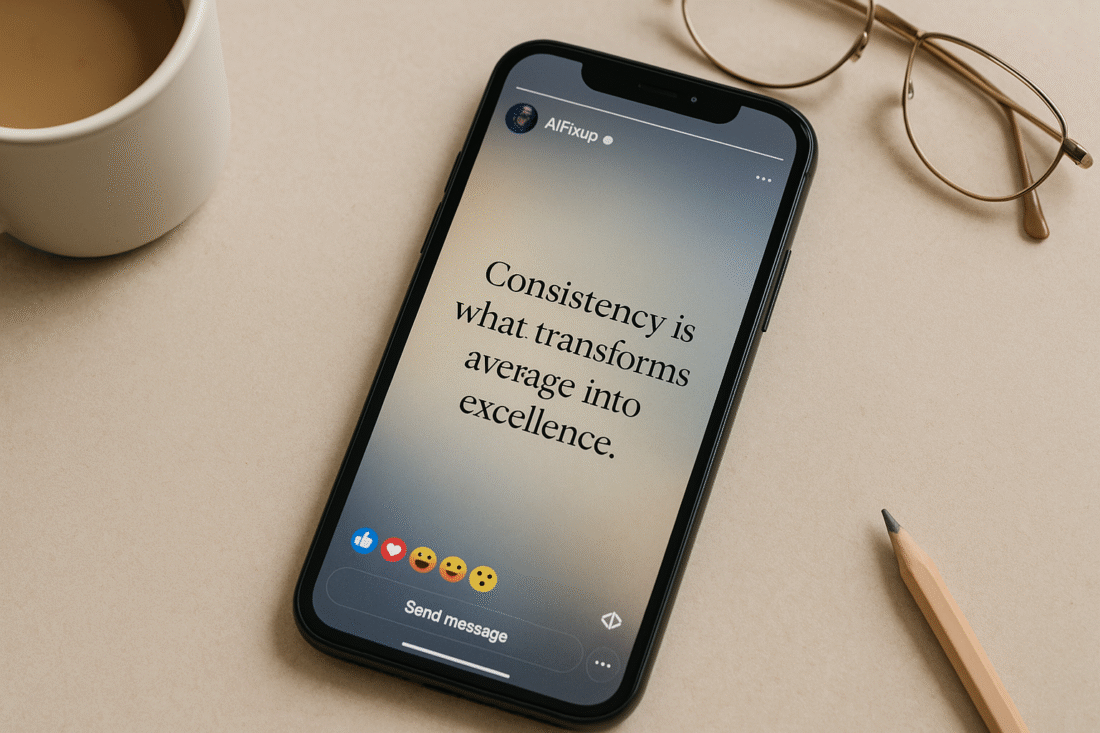
Discover the most effective AI prompts for Facebook Stories to boost creativity, save time, and create powerful story content that connects instantly.
AI Prompts for Facebook Stories
Stories have become a powerful way to connect quickly and authentically on Facebook. They’re short, visual, and often feel more personal than traditional posts. But as effective as they are, coming up with fresh and engaging story content every day can be overwhelming. That’s where AI prompts for Facebook Stories come in.
AI prompts give you a starting point—a direction to guide creative tools like ChatGPT toward producing story ideas that align with your goals. Whether you’re trying to share behind-the-scenes moments, drive traffic, promote an event, or simply entertain, the right prompt makes content creation easier and faster.
Instead of wondering what to post, you simply feed the AI a clear prompt, review the output, and tweak it to match your voice. It’s quick, efficient, and surprisingly inspiring—especially on those days when creativity feels out of reach.
Here’s why AI prompts for Facebook Stories are more important than ever:
- 📷 Increased Visibility
Stories often appear at the top of the feed, making them more likely to be seen. - 🕓 Timely and Casual
The 24-hour format makes Stories perfect for quick updates or time-sensitive content. - 🎯 Audience Interaction
Polls, questions, and sliders make engagement feel effortless and fun. - ✍️ Creative Flexibility
You can blend photos, text, emojis, or videos to communicate your message. - ⚡ Fast and Impactful
With the right AI prompt, you can generate high-impact story content in seconds.
Let’s dive into how you can use these prompts effectively and what kinds of ideas you can explore.
✨ Before diving into AI Prompts for Facebook Stories, if you’re not yet familiar with how prompts work, we recommend checking out our [AI Prompt Guide for Beginners] first.
📚 Table of Contents
• 💡 Advantages
• 🧭 AI Prompts for Facebook Stories – Wondering How to Begin?
• ✍️ AI Prompts for Facebook Stories – Effective Prompt Techniques
• ✨ AI Prompts for Facebook Stories – My Go-To Prompt Picks
• ⚠️ Common Pitfalls and How to Avoid Them
• 💬 User Experiences
• ❓ FAQ – AI Prompts for Facebook Stories
💡 Advantages
Before jumping into the how-to part, let me share a little personal insight. I started using AI prompts for Facebook Stories out of pure necessity—posting consistently felt like a drain. But once I leaned into it, I realized how much easier and more enjoyable content planning could be.
| 🌟 Advantage | 🧭 How to |
|---|---|
| 💬 Quick Engagement | Stories grab attention fast with minimal content. |
| 🎨 Highly Visual | AI can help you plan visuals, captions, and sticker ideas in one go. |
| ⏰ Low Commitment | You can post often without overwhelming your audience. |
| 📣 Real-Time Relevance | Share updates and promos as they happen. |
| 🧠 Creative Boost | Get fresh concepts when you’re out of ideas. |
| 🎥 Video Ideas Included | Prompts can generate both text and video story concepts. |
| 📊 Better Strategy | Plan your story sequence for stronger storytelling. |
🧭 Wondering How to Begin?
When I first tried to create AI prompts for Facebook Stories, I didn’t quite know how to structure them. Stories are visual, ephemeral, and emotionally driven—so the prompts needed to reflect that. If you’re wondering how to get started, here’s the flow that worked best for me.
1. 🎯 Define the Purpose
Ask yourself: What do I want people to do after seeing this Story? Click a link? Reply? Just smile? That clarity guides your prompt.
2. 🖼️ Visualize the Format
Think about whether the Story will be a photo, text overlay, short video, poll, or question box. The AI can tailor content better when you give it a format to work with.
3. ✍️ Write Conversational Prompts
Use natural, friendly language. For example: “Give me a 3-part Facebook Story sequence to share a productivity tip in a warm tone.”
4. 🧩 Mix Content Types
Alternate between personal shares, tips, questions, quotes, and behind-the-scenes. Prompts can help you plan a balanced mix.
5. 📆 Create in Batches
Batch create multiple story sequences using your favorite prompts. You’ll always have something ready to go, even on busy days.
6. 📸 Think Like a Viewer
Put yourself in your audience’s shoes. What kind of stories catch your eye? Prompts that consider your viewer’s mindset tend to perform better.
7. 💾 Save and Repurpose
When you find a prompt that generates great content, save it. Later, adapt it for another topic or format.
✍️ Effective Prompt Techniques
These prompts are designed to generate story content that feels natural, exciting, and relevant. I’ve personally tested each of them and included a sample output to give you a clear sense of how they work in practice.
1. 📆 Day-in-the-Life Snapshot
Perfect for solo creators, coaches, or business owners wanting to show their human side.
• 📥 Prompt: Create a 3-frame Facebook Story showing a “day in the life” of a creative entrepreneur, with emojis and brief text.
• 📤 Output Insight: Builds trust and connection by letting your audience see behind the scenes.
• 📝 Sample Output: “Frame 1: ☕ Morning brainstorm w/ coffee. Frame 2: 🧠 Editing videos. Frame 3: 🌅 Quick walk before dinner—reset time.”
2. 🧠 Quick Tips Carousel
Great for sharing short advice, especially in a 3–5 story sequence.
• 📥 Prompt: Generate a 4-part Facebook Story with productivity tips using a warm, friendly tone.
• 📤 Output Insight: Adds immediate value while staying light and digestible.
• 📝 Sample Output: “Frame 1: 🚀 Want to stay focused today? Frame 2: ✅ Start with a 3-task priority list. Frame 3: 📵 Phone off = brain on. Frame 4: 💡 Your future self will thank you.”
3. 🎤 Ask Me Anything Invite
Ideal for building engagement through interaction.
• 📥 Prompt: Write a Facebook Story inviting followers to drop questions using the “Ask Me Anything” sticker.
• 📤 Output Insight: Sparks curiosity and positions you as approachable.
• 📝 Sample Output: “👋 I’m opening up the floor! What’s something you’ve always wanted to ask about content creation? Drop it below ⬇️”
4. 📦 Product Sneak Peek
If you’re launching something soon, this one helps generate curiosity without giving everything away.
• 📥 Prompt: Create a 3-part Facebook Story teasing a new product, using short text and excitement.
• 📤 Output Insight: Builds suspense and prepares your audience for a reveal.
• 📝 Sample Output: “Frame 1: 👀 Something new is coming… Frame 2: 📦 Packed with features you’ll love. Frame 3: 🎉 Launching in 3 days—get ready!”
5. 🎯 Poll with Purpose
Use this to boost interaction and gather insights.
• 📥 Prompt: Write a fun Facebook Story poll that helps you learn about your audience’s habits.
• 📤 Output Insight: Engages while providing useful data for future content.
• 📝 Sample Output: “When do you usually scroll FB Stories? 🌞 Morning | 🌙 Night”
6. 💬 Quote That Resonates
Quick and inspiring, this format is great for engagement and shares.
• 📥 Prompt: Generate a Facebook Story with an inspiring quote and matching emoji.
• 📤 Output Insight: Adds positivity to your feed and connects with emotions.
• 📝 Sample Output: “🌱 ‘Growth is rarely comfortable but always worth it.’ 💭 Take a moment today to reflect.”
7. 🎥 Mini Video Script
Want to record yourself talking? Let AI help with the outline.
• 📥 Prompt: Write a 30-second Facebook Story script to introduce yourself to new followers in a friendly, casual tone.
• 📤 Output Insight: Makes it easier to hit record with confidence.
• 📝 Sample Output: “Hey there! I’m [Your Name], and I help creatives stay inspired and consistent online. If you love simple tips and real talk, stick around!”
8. 📚 Before & After Series
If you offer transformations, this is gold.
• 📥 Prompt: Create a 2-frame Facebook Story showing a “before and after” for a client result or project outcome.
• 📤 Output Insight: Showcases your work visually and builds credibility.
• 📝 Sample Output: “Frame 1: 😓 Before: Struggling to post consistently. Frame 2: 😄 After: 30-day content plan = done!”
✨ My Go-To Prompt Picks
These are my most-used, highest-performing prompts when it comes to AI prompts for Facebook Stories. They never fail to deliver fast, engaging content that feels natural and personal.
1. 🧃 Behind-the-Scenes Glimpse
This one is perfect for when I want to post something casual but still meaningful.
• 📥 Prompt: Write a Facebook Story describing a behind-the-scenes moment in your workflow.
• 📤 Output Insight: Helps build connection by showing the real effort that goes into your work.
• 📝 Sample Output: “This week’s secret weapon? Sticky notes and coffee. Planning next month’s content today!”
2. 📸 Daily Mood Snapshot
Simple and emotionally resonant—this one works well during personal or reflective days.
• 📥 Prompt: Generate a single Facebook Story slide that shares today’s mood using one sentence and 1–2 emojis.
• 📤 Output Insight: Adds a human touch and often gets replies from followers who relate.
• 📝 Sample Output: “Feeling hopeful and focused today. Let’s make something great. ✨🧘”
3. 🛠️ One Simple Tip
This one never gets old. I use it to offer small, helpful tips that my audience can act on right away.
• 📥 Prompt: Create a 1-slide Facebook Story with a quick tip for boosting creativity during a busy week.
• 📤 Output Insight: Delivers practical value in just a few words.
• 📝 Sample Output: “Need a creative reset? Step away for 10 minutes. Fresh ideas need fresh air. 🧠🍃”
⚠️ Common Pitfalls and How to Avoid Them
If you’re planning to create content using AI prompts for Facebook Stories, it’s helpful to avoid these common missteps. Here’s a quick table of what to watch out for.
| ⚠️ Mistake | 💡 How to Avoid |
|---|---|
| 🤖 Too Robotic | Edit outputs to add your real voice, tone, and personality. |
| 🔄 Overused Formats | Alternate prompt types—quotes, questions, behind-the-scenes, etc. |
| 😶 No Call to Action | Even a soft “Reply if this hit home” makes a difference. |
| 🧱 Too Much Text | Break content into short bursts over 2–3 frames. |
| ⏰ Posting at Off Times | Use Facebook insights to time Stories for visibility. |
| ❌ Ignoring Visual Flow | Make sure story slides feel connected—don’t jump around randomly. |
💬 User Experiences
AI prompts saved me hours of brainstorming. Now I batch my Facebook Stories for the week in under 20 minutes.
— Rachel, Content Strategist
The variety these prompts offer keeps my Stories from getting repetitive. Engagement has gone up steadily.
— Daniel, Freelance Designer
I always thought AI couldn’t understand my brand tone, but with the right prompts, it totally works.
— Anita, Wellness Coach
❓ FAQ – AI Prompts for Facebook Stories
🧠 Can these prompts help beginners too?
• Yes! They simplify the process and help you post confidently without overthinking.
📸 Do I need design skills to use them?
• Not at all. Many prompts work with simple visuals or Facebook’s built-in features.
📈 Can AI prompts increase Story views?
• When used consistently, yes. Better content tends to perform better.
📝 Can I mix prompts with manual ideas?
• Absolutely. Use prompts when needed and go manual when inspiration strikes.
🎥 What if I want to record videos?
• Many prompts can be adapted into video scripts or talking points.
🧩 Can I use these for product launches?
• Yes! They’re great for teasers, demos, countdowns, and behind-the-scenes clips.
🎯 Do they work for personal brands?
• Perfectly. The prompts can be tailored to match your tone and vibe.
🕓 How often should I post Stories?
• Daily is great if possible, but even 3–4 per week can make a big impact.
🌟 Final Thoughts
If you’ve been feeling stuck or uninspired about what to share in your daily content, using AI prompts for Facebook Stories can truly change your process. They simplify your workflow, fuel your creativity, and make story creation something you actually enjoy. It’s like having a content assistant who never runs out of ideas.
🗣️ What Do You Think?
Have you tried using AI prompts for Facebook Stories? Got stuck or had a breakthrough moment? Drop your questions, tips, or even your own favorite prompts in the comments—I’d love to hear from you.
📚 Related Guides
• AI Prompts for Facebook Posts
• AI Prompts for Facebook Giveaways
• AI Prompts for Facebook Announcements
• AI Prompts for Facebook Groups
📢 About the Author
At AIFixup, our team brings over 5 years of hands-on experience in conceptualizing, developing, and optimizing AI tools. Every piece of content you see on this platform is rooted in real-world expertise and a deep understanding of the AI landscape.
Beyond our public content, we also share exclusive insights and free prompt collections with our subscribers every week. If you’d like to receive these valuable resources directly in your inbox, simply subscribe to our Email Newsletter—you’ll find the sign-up form at the bottom right corner of this page.