


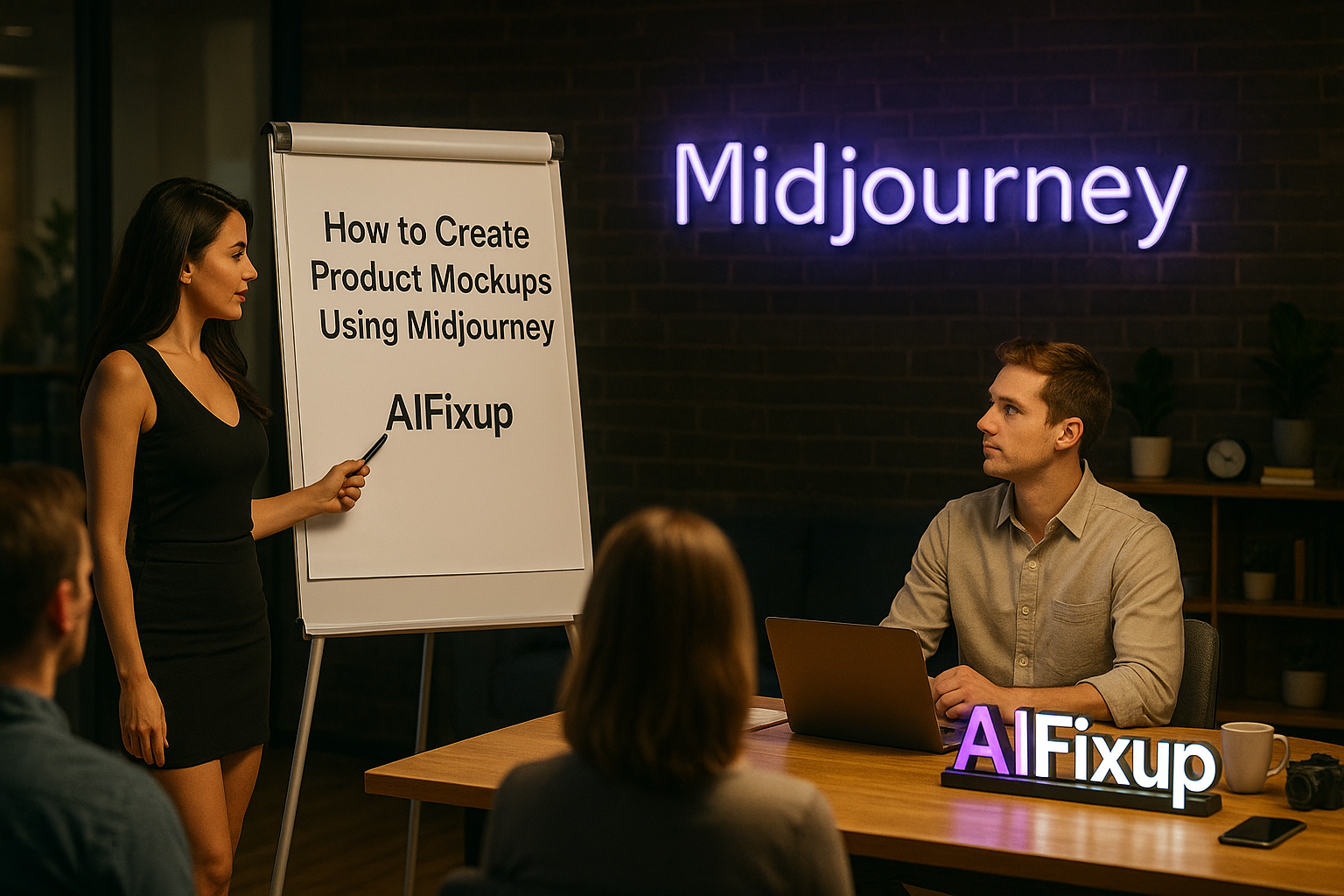
Learn how to create product mockups using Midjourney with practical prompts, visual branding tips, and step-by-step examples — no design tools required.
How to Create Product Mockups Using Midjourney
Mockups are an essential part of any product development or marketing workflow. They help you visualize ideas before production, present polished concepts to clients, and build cohesive branding assets. In the past, creating realistic mockups required Photoshop skills or access to expensive tools. But today, thanks to AI, you can easily learn how to create product mockups using Midjourney — and the results are often stunning.
What surprised me most when I started was how detailed and professional the outputs could be. By writing thoughtful prompts, I could see product labels, packaging, and even lifestyle shots that felt market-ready. There’s something deeply satisfying about typing a short description and watching it turn into a sleek visual.
Whether you’re an entrepreneur testing packaging ideas, a designer prototyping a product concept, or a marketer creating promotional materials, knowing how to create product mockups using Midjourney can save you time and money — and unlock creative directions you hadn’t even considered.
Here’s why it matters, especially if you’re working in branding, ecommerce, or design:
- 🧳 Perfect for Pitching Ideas
Show clients what a final product could look like — without needing a physical prototype. - 🎯 Test Visual Styles Instantly
Try different angles, lighting setups, or materials with a single prompt tweak. - 💡 Supports Fast Branding Iterations
Switch packaging styles, colors, or typography in seconds. - 📸 No Studio, No Problem
Midjourney gives you pro-level product photography without cameras. - 🧠 Helps You Refine Concepts
Seeing your idea visualized often leads to clearer design decisions.
Let’s walk through how to go from idea to image — all inside Discord and Midjourney.
📚 Table of Contents
• 💡 Advantages – Create Product Mockups Using Midjourney
• 🧭 Wondering How to Begin?
• ✍️ Effective Prompt Techniques
• 🧷 My Go-To Prompt Picks – Create Product Mockups Using Midjourney
• ⚠️ Common Pitfalls and How to Avoid Them
• ❓ SSS – How to Create Product Mockups Using Midjourney
• 💬 User Experiences – Create Product Mockups Using Midjourney
💡 Advantages
Creating product mockups used to take hours of design work. Now it takes minutes. Here’s what I discovered while learning how to create product mockups using Midjourney.
| 🌟 Advantage | 🧭 How to |
|---|---|
| 📦 Realistic Visualization | You can present lifelike packaging and product shots instantly. |
| 🔄 Instant Iterations | Changing label designs or packaging formats is as simple as adjusting a prompt. |
| 🌍 Lifestyle Integration | Add scenes like desks, kitchens, or outdoor settings for context. |
| 🎯 Precision Targeting | Tailor mockups to specific audiences, like minimalist skincare or bold tech. |
| 🖼️ Marketing Ready | Outputs are often clean enough for presentation decks or landing pages. |
🧭 Wondering How to Begin?
The first time I explored how to create product mockups using Midjourney, I wasn’t sure what to include in the prompt. Should I describe the label? The background? The lighting? Over time, I realized that a few simple rules make the process very manageable — and even fun.
Here’s how I approach it every time:
1. 🎯 Define the Product Type
Start by clearly stating the product: is it a candle, coffee bag, smartwatch, or shampoo bottle?
Be direct. For example, “matte black reusable water bottle” is better than just “bottle.”
2. 🏷️ Describe the Packaging Material
Details like “glass jar,” “kraft paper pouch,” or “frosted plastic tube” help shape the form and texture.
Midjourney responds well to material descriptions, so don’t skip this step.
3. 🖋️ Mention Design Elements
Try adding elements like “modern label,” “elegant serif typography,” or “hand-drawn logo.”
You can even specify colors — “white label with black ink” gives very different results from “bright colorful packaging.”
4. 📷 Include a Camera Angle
Mockups are often best with terms like “front-facing,” “top view,” “3D render,” or “floating above white background.”
This helps you control perspective and presentation.
5. 🏡 Add Environment or Scene (Optional)
Want lifestyle context? Add settings like “on a wooden table,” “in a bathroom cabinet,” or “on a retail shelf.”
It’s a great way to preview real-world usage.
6. 🧑💻 Set Aspect Ratio
For vertical product mockups, try --ar 4:5. For web banners or group shots, go with --ar 16:9.
Aspect ratios make a huge difference when you’re planning layout and display.
7. 🖼️ Refine with Variations
Once you generate your image grid, use V1–V4 to tweak the layout or U1–U4 to upscale a favorite version.
Repeat until the visual matches your concept perfectly.
✍️ Effective Prompt Techniques
Let’s get practical. Below are prompt types I regularly use when learning how to create product mockups using Midjourney. Each one includes details and a sample you can copy or adapt.
1. 🧼 Minimal Skincare Packaging
• 📥 Prompt: white skincare bottle with pump, minimalist label design, black sans-serif text, on marble bathroom counter, soft natural light –ar 4:5 –v 6
• 📤 Output Insight: Ideal for beauty and wellness brands focusing on elegance and simplicity.
• 📝 Sample Output: A clean, white bottle with subtle shadows and a sleek label resting beside folded towels.
2. ☕ Coffee Bag on Wooden Table
• 📥 Prompt: matte black coffee pouch with gold foil logo, kraft paper texture, on rustic wooden table with coffee beans scattered, natural sunlight –ar 3:2 –v 6
• 📤 Output Insight: Great for earthy, artisanal brands.
• 📝 Sample Output: A rich, textured bag in a cozy café-style setting, with warm shadows and a vintage feel.
3. 📱 Floating Tech Product
• 📥 Prompt: sleek smart fitness tracker, floating above white background, 3D render, sharp lighting, product showcase –ar 1:1 –v 6
• 📤 Output Insight: Perfect for digital or electronics brands needing clean, professional visuals.
• 📝 Sample Output: A high-gloss fitness band hovering in space, lit from above with a product-shot feel.
4. 🍯 Gourmet Food Jar
• 📥 Prompt: glass honey jar with wooden lid, modern label with script font, placed on kitchen counter with herbs and lemons around, soft depth of field –ar 4:5 –v 6
• 📤 Output Insight: Blends realism with brand storytelling in food and lifestyle sectors.
• 📝 Sample Output: A beautiful jar beside rustic ingredients, with warm tones and kitchen ambiance.
5. 🎁 Product Bundle Layout
• 📥 Prompt: collection of skincare products, minimalist packaging, arranged neatly on a pastel surface, top view flat lay, soft shadows –ar 16:9 –v 6
• 📤 Output Insight: Great for ecommerce banners or product lineup mockups.
• 📝 Sample Output: Several coordinated bottles and tubes displayed in perfect symmetry on a soft background.
🧷 My Go-To Prompt Picks
Over time, I’ve fine-tuned a few prompt styles that consistently produce excellent product visuals. Here are the ones I trust most when time is tight and quality matters.
1. 🎨 Luxe Label Focus
• 📥 Prompt: premium skincare serum bottle, frosted glass, metallic gold pump, centered on clean background with dramatic shadows, luxury branding –ar 4:5 –v 6
• 📤 Output Insight: High-end brands or pitch decks benefit from this clean, dramatic look.
• 📝 Sample Output: A central bottle with golden accents under spotlight, casting sharp, elegant shadows.
2. 🧃 Bold Beverage Concept
• 📥 Prompt: canned juice drink, vibrant tropical colors, illustrated label with fruit icons, studio lighting, floating on reflective surface –ar 1:1 –v 6
• 📤 Output Insight: Ideal for beverage launches, concept testing, and advertising visuals.
• 📝 Sample Output: A vivid, colorful can design reflected on a mirror surface with crisp clarity.
3. 🎒 Lifestyle Integration
• 📥 Prompt: canvas backpack with leather straps, placed on stone bench in urban park, early morning light, realistic setting –ar 3:2 –v 6
• 📤 Output Insight: Blends product focus with lifestyle narrative — great for outdoor or travel gear.
• 📝 Sample Output: A softly lit backpack surrounded by greenery and warm highlights.
⚠️ Common Pitfalls and How to Avoid Them
While learning how to create product mockups using Midjourney, I ran into a few hiccups. These mistakes are easy to fix if you know what to look for.
| ⚠️ Mistake | 💡 How to Avoid |
|---|---|
| ❌ Too Vague Prompts | Be clear about product type, material, and setting. |
| ⚠️ Ignoring Lighting Terms | Use phrases like “soft light” or “studio lighting” for clarity. |
| 🌀 Overloaded Concepts | Limit each prompt to 1–2 visual ideas at a time. |
| 🖍️ Forgetting Design Description | Always describe the label, shape, or logo placement. |
| 🖼️ Using Inconsistent Ratios | Match your aspect ratio to the platform or display needs. |
❓ FAQ – How to Create Product Mockups Using Midjourney
📦 Can I create mockups of any product type?
• Yes, from tech to food to skincare — Midjourney handles almost any product form.
🎨 Do I need design software to edit the results?
• No, but you can enhance or combine images using tools like Canva or Figma if needed.
🧴 Can I include specific branding in the mockup?
• You can describe logos and styles, but Midjourney cannot generate real brand names or exact replicas.
🖼️ How do I make the background clean?
• Add terms like “white background,” “clean surface,” or “floating product” in your prompt.
📐 What aspect ratio works best?
• Use --ar 4:5 for single product shots, --ar 16:9 for group layouts or banners.
💻 Can I use these images in a pitch deck?
• Yes — many Midjourney mockups are sharp enough for presentations or mock product launches.
📥 Where do I download my images?
• After generating and upscaling, click the image to open it, then right-click to save.
💰 Are Midjourney mockups free to use commercially?
• Check your subscription plan — commercial use is included in most paid tiers.
💬 User Experiences
I’ve used Midjourney to test packaging ideas before sending anything to the printer. It’s a game-changer.
— Emily, Brand Strategist
I don’t know how to use Photoshop, but now I can create realistic mockups for all my online products.
— Marco, Ecommerce Owner
Learning how to create product mockups using Midjourney has saved me hours of design work each week.
— Alina, Product Designer
🌟 Final Thoughts
If you’ve been wondering how to create product mockups using Midjourney, the key is really in the prompt. Once you understand how to describe materials, lighting, and layout clearly, you can generate images that rival traditional mockups — without the complexity of graphic design tools. It’s fast, creative, and opens up so many possibilities for brands and makers alike.
🗣️ What Do You Think?
Have you tried creating mockups with Midjourney? Let me know what worked, what didn’t, or which product categories you’re exploring. I’m happy to help refine your prompts.
📚 Related Guides
• How to Make Illustrations with Midjourney
• How to Create Storyboards in Midjourney
• How to Generate Abstract Art with Midjourney
• How to Use Midjourney with Discord
📢 About the Author
At AIFixup, our team brings over 5 years of hands-on experience in conceptualizing, developing, and optimizing AI tools. Every piece of content you see on this platform is rooted in real-world expertise and a deep understanding of the AI landscape.
Beyond our public content, we also share exclusive insights and free prompt collections with our subscribers every week. If you’d like to receive these valuable resources directly in your inbox, simply subscribe to our Email Newsletter—you’ll find the sign-up form at the bottom right corner of this page.




Leave a comment